Case Translation

Let your service agents handle any language instantly via email—no specialists required.

Speak Every Customer's Language Without Extra Staff!

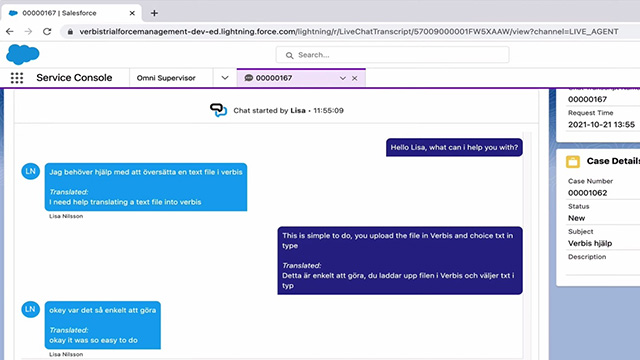
Handle multilingual tickets and quickly provide support to your customers in their native language. Venizums Case Management connector, integrated within your Salesforce service console, enables customer service agents to assist customers in over 150 languages.

 Customers expect brands to offer support in their native language, but staffing a multilingual support team can be difficult and expensive. That’s why global companies use Venizums case management connector, which allows monolingual support agents to communicate with customers in any language.


Facts to love!
Features
  • Support seamless translation of cases with origins from emails, web forms or In-apps
  • Translate any attachment that your customers send to your agents
  • Translate to your agents salesforce user language and your Salesforce ORG language
  • High quality of translation by leveraging your company’s glossary across all clouds
Benefits
  • Increase agent efficiency by shortening the first response time and reducing the average handling time
  • Increase customer satisfaction and NPS
  • Tremendous cost savings compared to hiring native speakers
  • Simple and intuitive to use, install, and get started in 24 hours
  • Maintain your existing way of working with Venizum’s Salesforce Native APP.
Salesforce AppExchange Rating

Case Translation Videos

Want to learn more? Watch our explainer videos!
3 reasons to add Venizum for your translation process!
Increase your translation options’ flexibility.

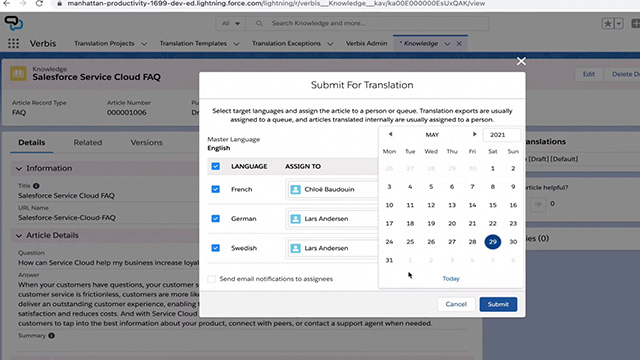
Manage your translation process, especially your translation memory.

Stop doing administration for the translation process.

Let verbs handle it, and spend your time on more valuable tasks.

Use dashboards to track your translation process.

Real-time dashboard that displays where your content is in the process.

Schedule Appointment

Fill out the form below, and you will be able to book your meeting.

Contact Information
Compamy Information
Focus during our meeting?